Focus
Back on task in one glance
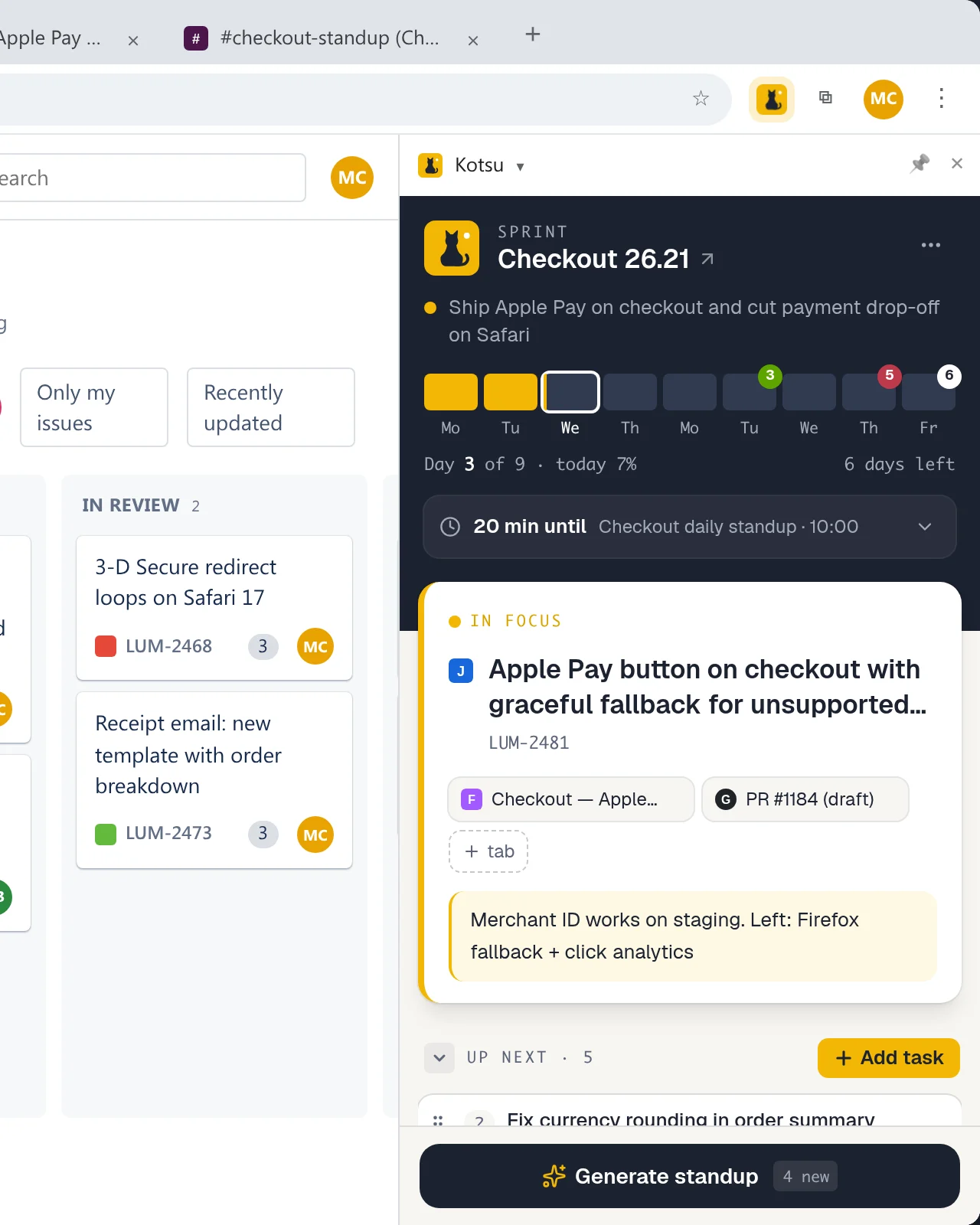
One task in focus with its Jira ticket, pull request and Figma links, plus a note on where you left off. Pinged mid-thought? Open the panel and you are back in context — links switch to the tab you already have open.
Sprint tracker for developers on a team
Your priorities in the team’s sprint, in Chrome’s side panel. Any tab — a Jira ticket, a Slack thread, a pull request, an email — becomes a task in your queue. One task in focus, a work log that writes your daily standup, and your next meeting always in sight.
The idea
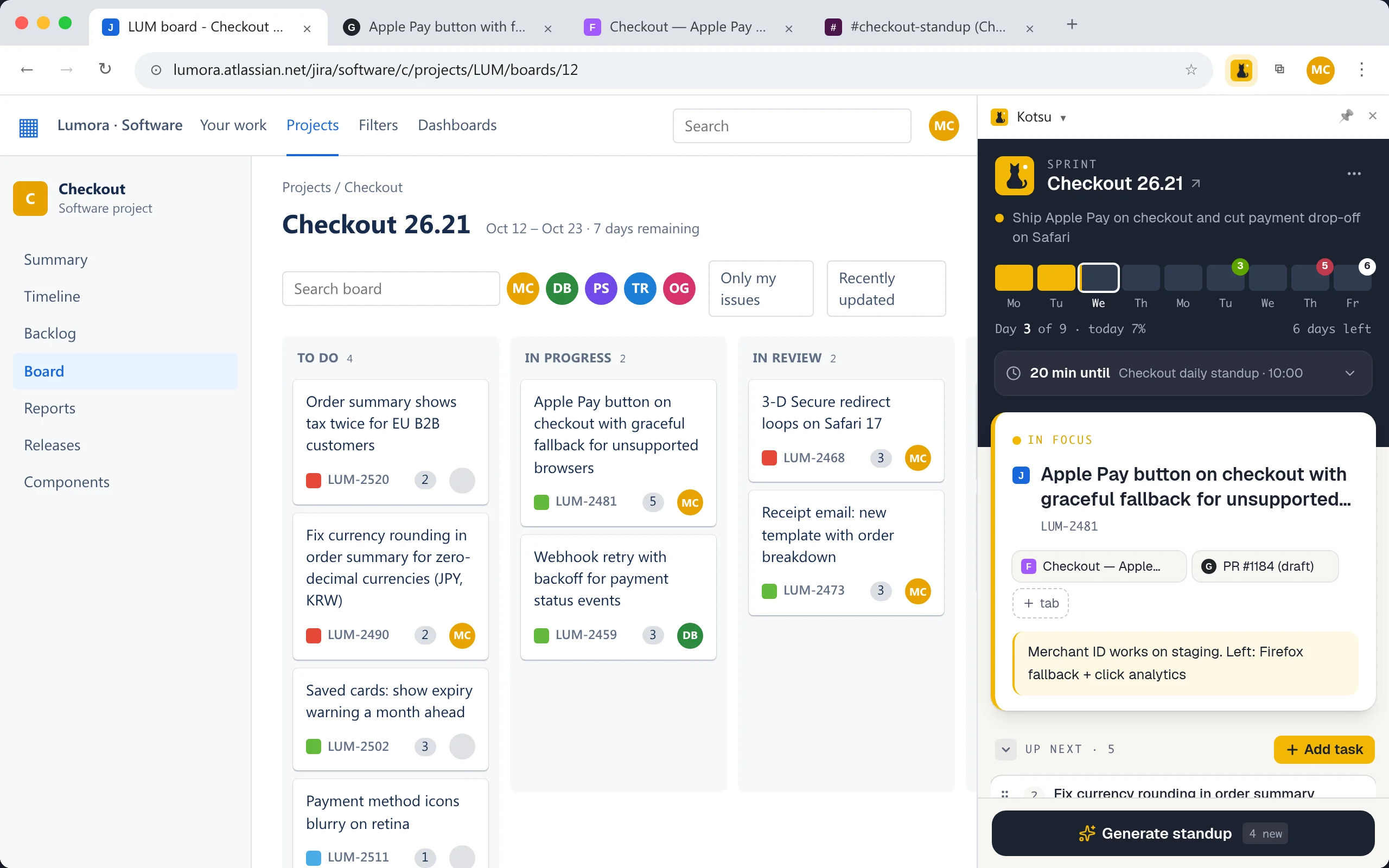
Teamwork reaches you as links: a ticket, a Slack thread, a pull request, an email. Kotsu turns them into your queue for the sprint — what’s on you, in what order, and what you’re waiting on — without waiting for the board to catch up or the next grooming. Press Add task and the link becomes a task; click the task and you’re back on that page. Not a Jira plugin, not a to-do list: your view of the team’s work.
Your open tabs
 Your queue in Kotsu
Kotsu never changes Jira. The board keeps the team’s statuses and process; focus, queue and waiting are your working view of them — you know what’s next without moving a card.
No integration, API tokens or admin approval. Kotsu reads the title and address of the tab you are on — only when you press Add task.
Jira, Linear, GitHub, Slack, Gmail, Notion, Figma, Sentry, a doc or a log line — if it has a URL, it can be a task. One click on the task takes you back to it.
The team board tracks tickets. Your day is pings, reviews, meetings and context switches. Kotsu keeps that day next to whatever you’re working in — and remembers it for the standup.
Focus
One task in focus with its Jira ticket, pull request and Figma links, plus a note on where you left off. Pinged mid-thought? Open the panel and you are back in context — links switch to the tab you already have open.
Your queue
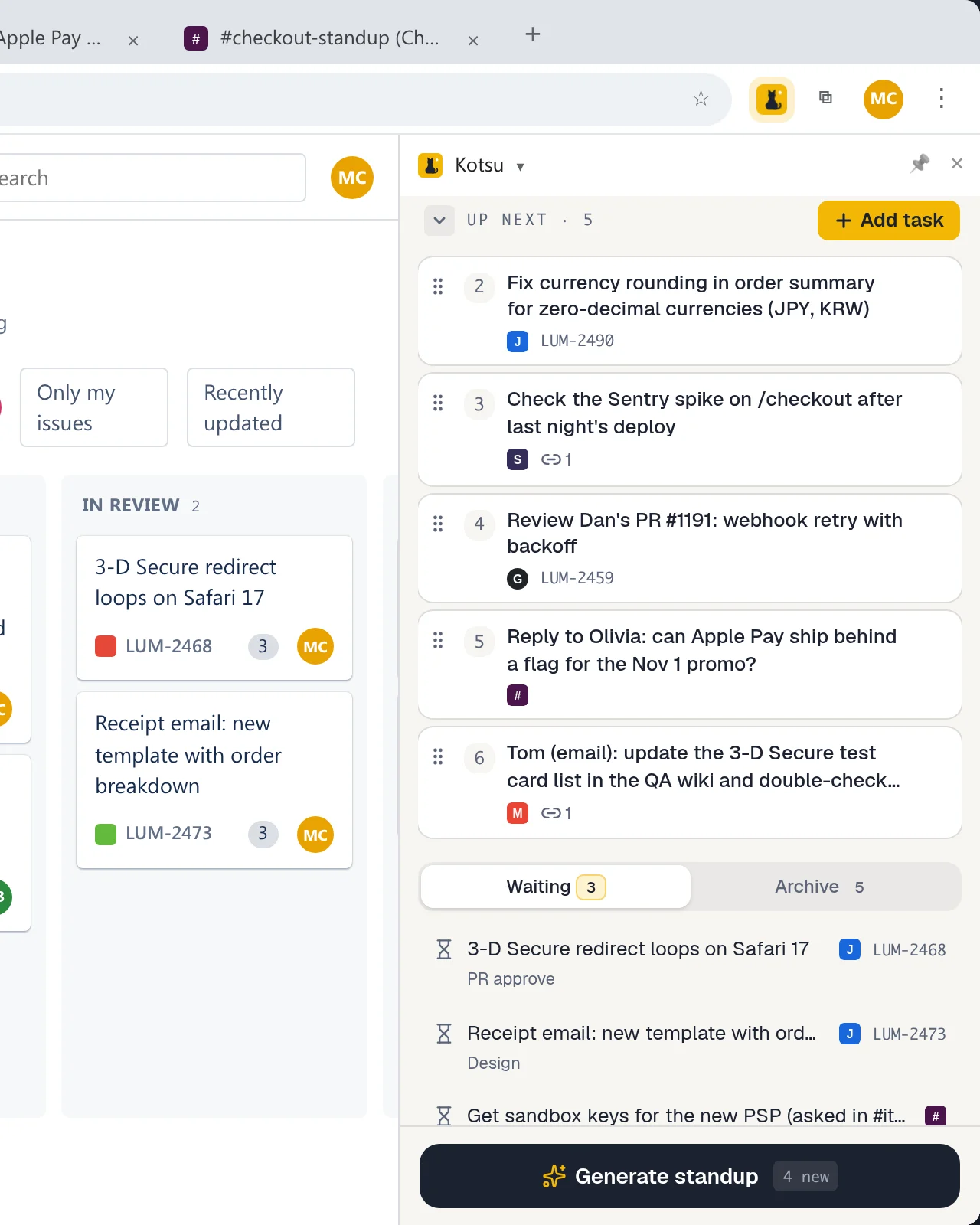
The sprint board shows one ticket on you; your day has ten asks. Keep the small stuff too small for Jira — reviews, replies, checks — in your own queue, in your order, each with its Slack, Gmail or GitHub link.
Waiting
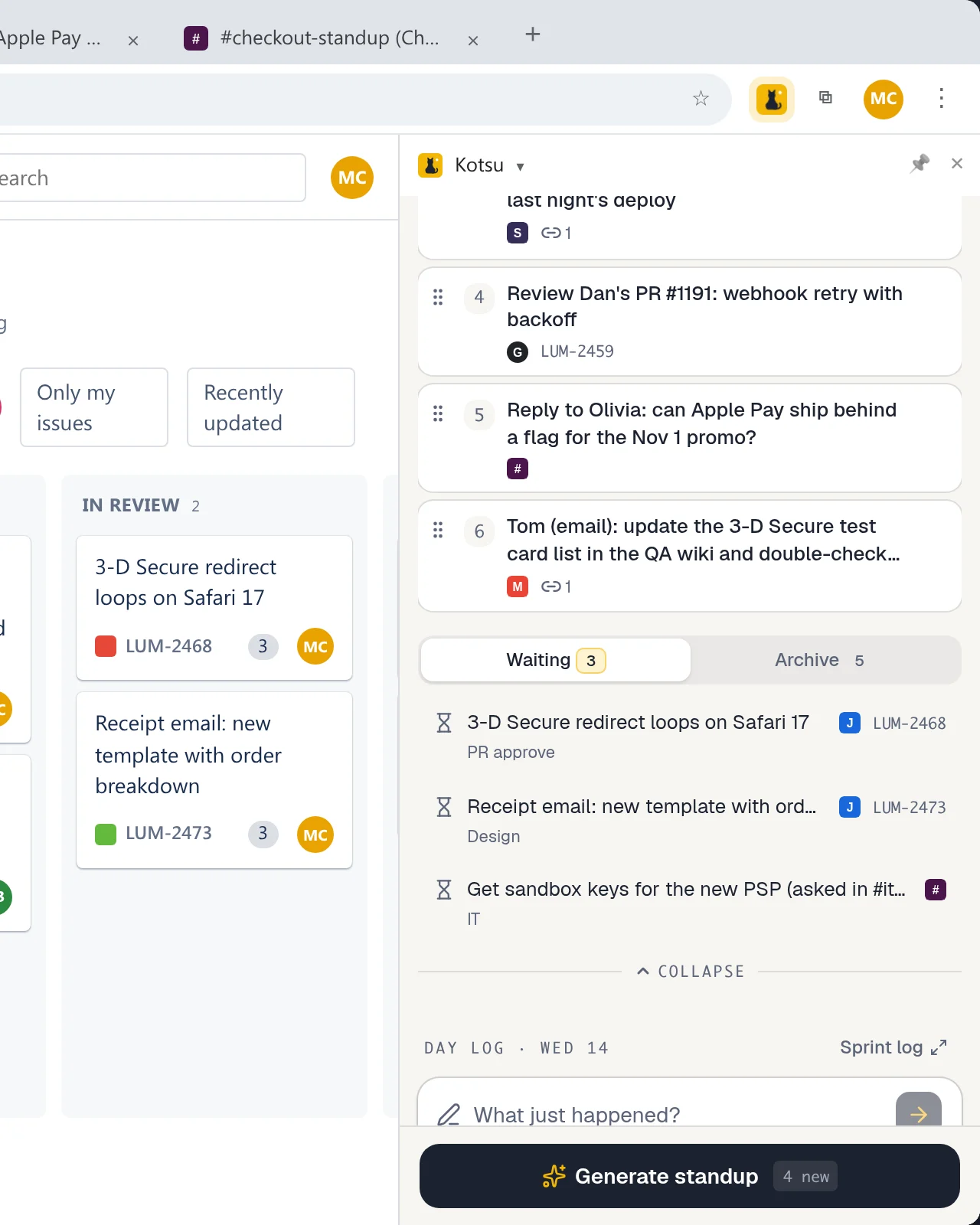
Waiting on a PR approve, design or QA is normal. Park the task with a reason, move on, and pick it up the moment it unblocks — the PR link is right there. A gentle nudge only when the pile grows.
Capture
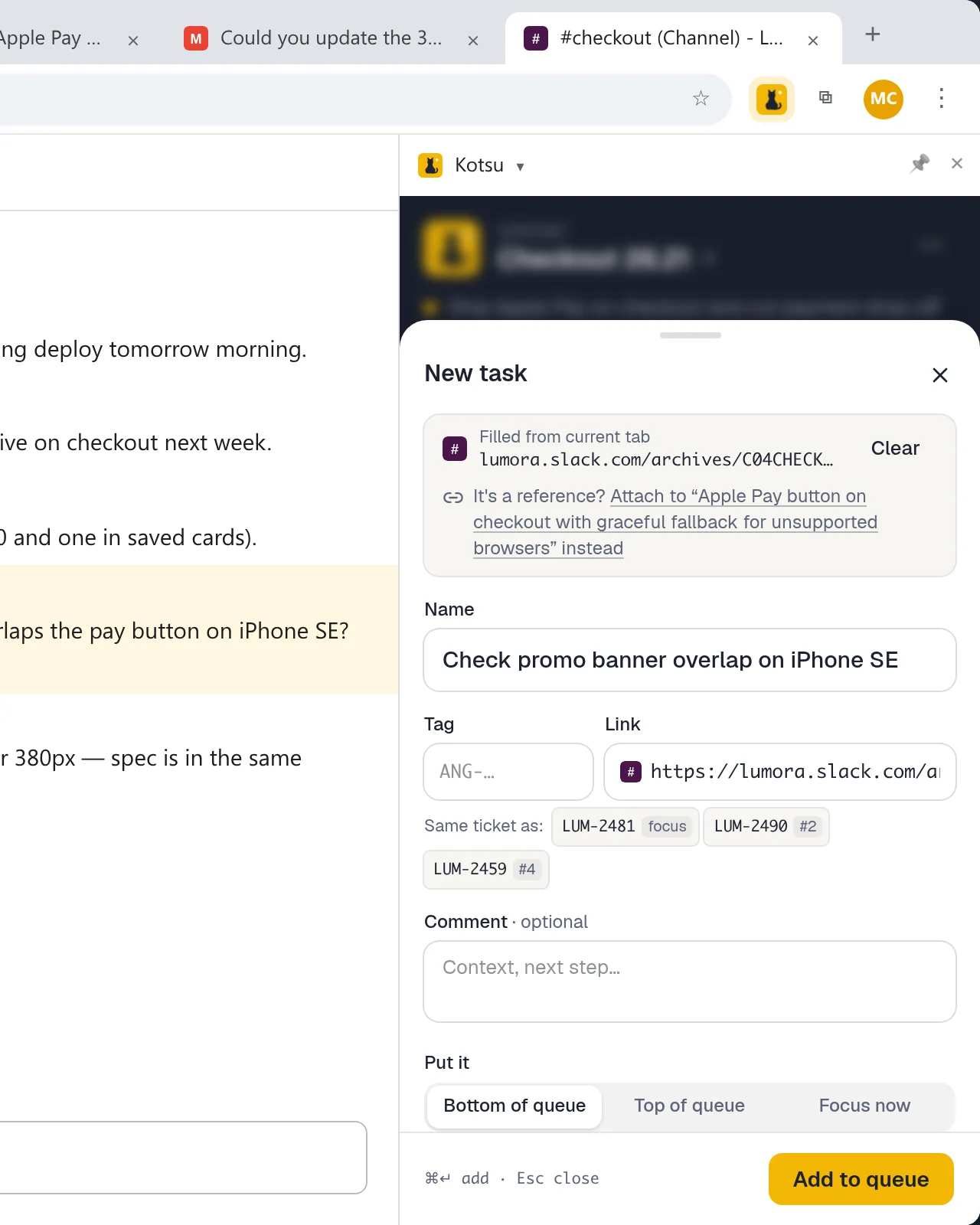
Hit “Add task” on any tab — Slack, Gmail, Jira, GitHub — and Kotsu fills in the link from the page you are on. Two seconds, and the ask from chat is not lost in the scroll.
Daily standup
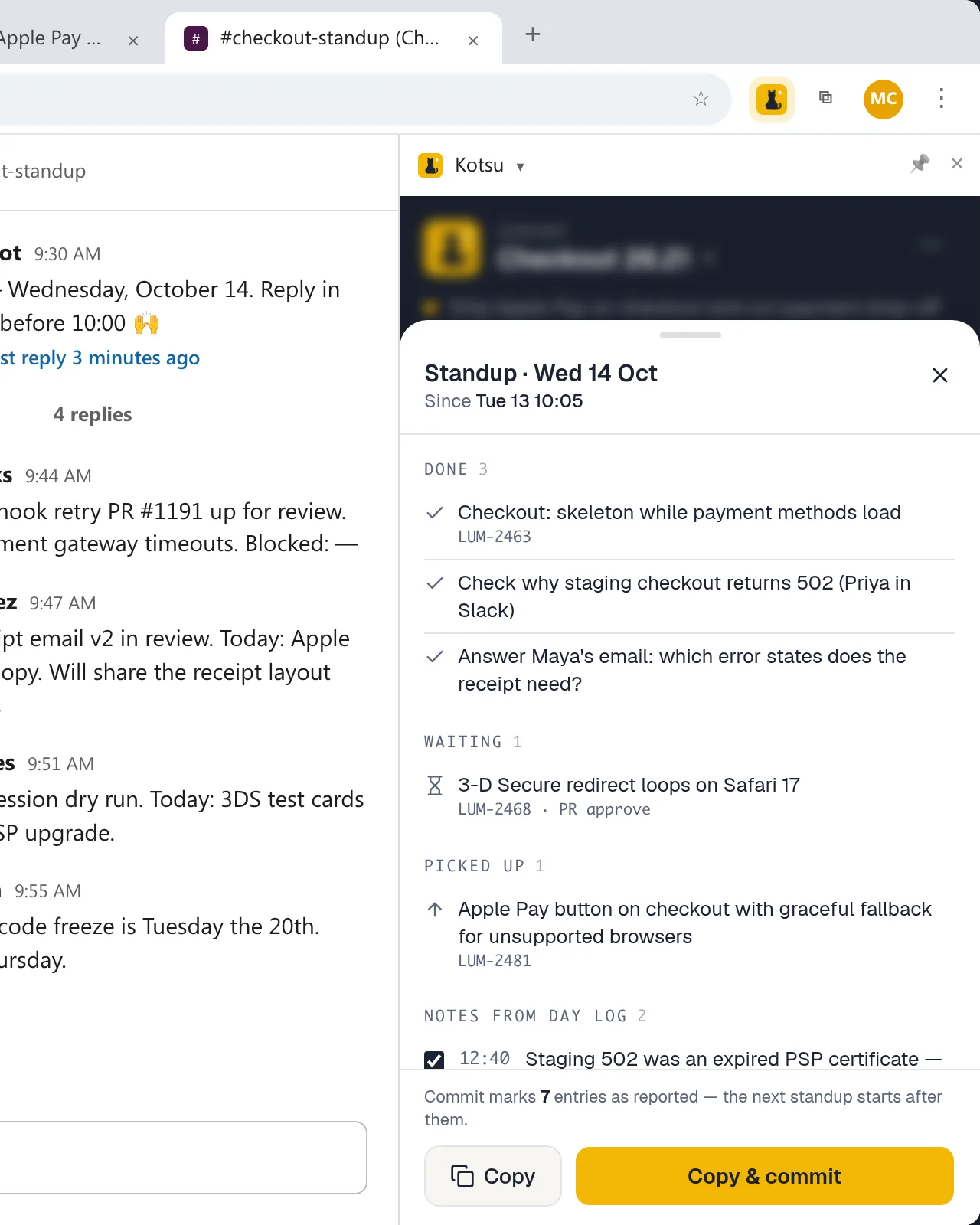
What did I do yesterday? Your day log already knows. Kotsu groups everything done, picked up and waiting since the last standup into a ready answer — copy it into the Slack thread and go.
Meetings
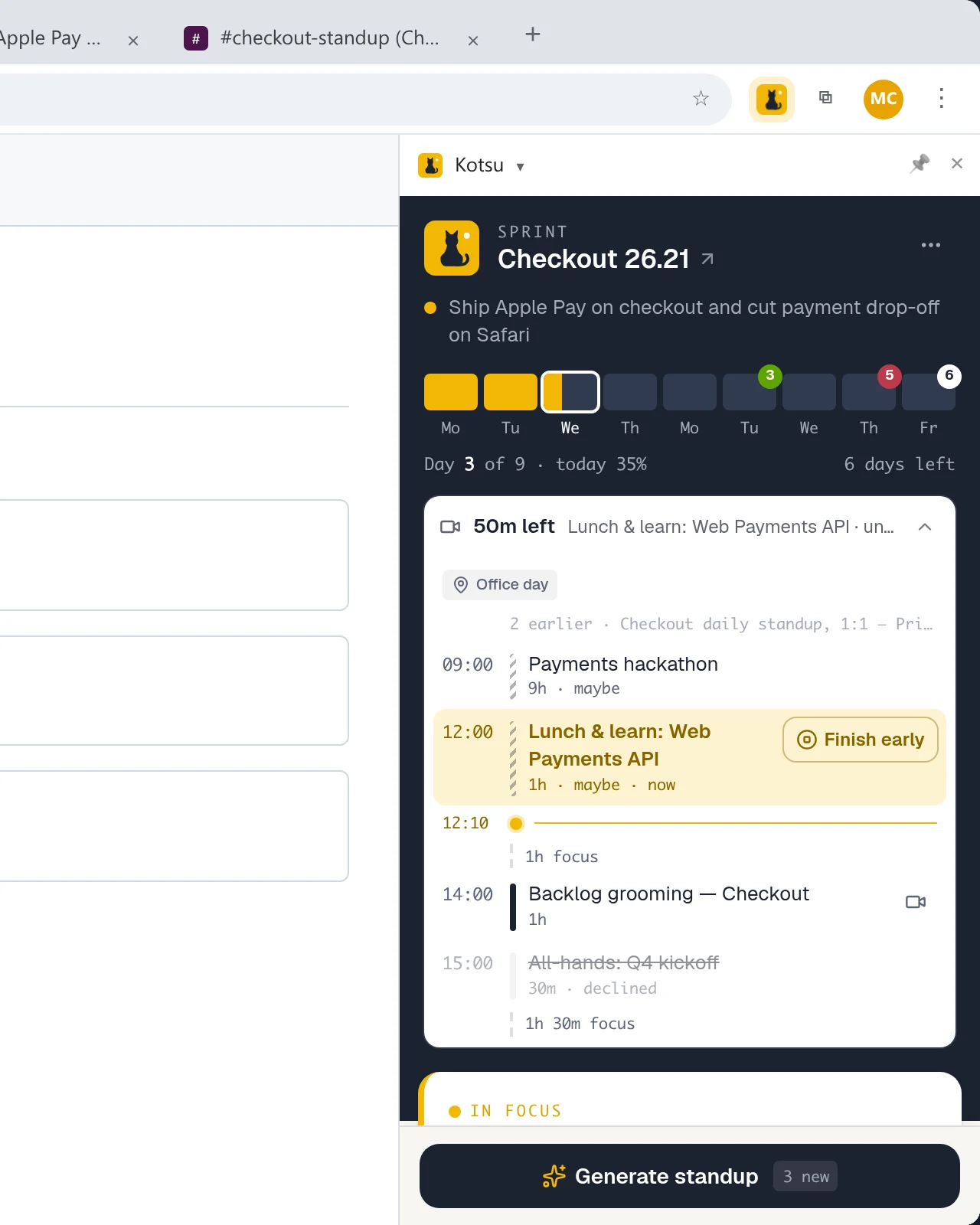
A countdown to the next call, a Join button five minutes before, and today’s agenda with the focus windows between meetings — so you know whether there is time to start something big. Google Calendar, read-only.
Hover a benefit to see it in the panel.
Sprint goal, days left, and markers for testing day and release — so the end of the sprint never sneaks up.
Every status change lands in the log with a time. Add a one-line note when something happens; it shows up in the standup.
Jot decisions and pains into sprint notes as they happen. Finish sprint packs them, with the work you closed, into a sealed look-back.
Privacy by design
Task names, ticket links, standup notes — work data is sensitive. Kotsu has no backend at all, so there is nothing to leak, sell or breach.
Read the privacy policyThere is no backend to send anything to. Your tasks, notes and day log never reach us.
Everything lives in Chrome’s extension storage. If Chrome sync is on, Chrome syncs it through your own Google account — not ours.
Google Calendar is read directly from your browser with a read-only permission. Kotsu can’t change or share your events.
No sign-up, no analytics on your work. A page is read only when you add a task from it.
Free, from the Chrome Web Store. No account to create.
Ctrl+Shift+S (⌘⇧S on Mac) or the cat in the toolbar. Pin your sprint dates and goal.
Focus, queue, park, capture — the day log fills itself and writes your standup.
Not sure yet? — a real Kotsu panel on a sample sprint, right in this page.
Keep a running log instead of reconstructing the day from memory. Kotsu records every task you finish, pick up or park as waiting, plus one-line notes, and turns everything since your last standup into a ready answer: done, in progress, waiting. Copy it into the Slack thread in about ten seconds.
No — on purpose. Kotsu is your working view of the sprint, not an integration: it never creates, updates or moves tickets, and your statuses in Kotsu (focus, queue, waiting, done) are yours alone. A Jira ticket is just one kind of link you can turn into a task, like a Slack thread or a pull request. If you open a Jira board, Kotsu can read the sprint dates from it to fill in your sprint — that is all.
Keep the team board for the team and a queue for yourself. In Kotsu, anything with a URL becomes a task — Jira or Linear tickets, GitHub pull requests, Slack asks, emails, Figma files, Sentry issues — so the reviews and replies that never reach the board sit next to your tickets, in your order, with what you are waiting on. Nothing to connect and no admin to ask; the team’s process stays as it is.
There is no Kotsu server, so your tasks, notes and log never reach us. Data is stored with chrome.storage in your browser; if Chrome sync is on, Chrome syncs it through your own Google account. Google Calendar is read with a read-only permission directly from your browser. No account, no tracking of your tasks.
Yes. Sign in once and Kotsu shows how long until your next meeting, a Join button five minutes before it starts, and today’s agenda with the focus windows between calls. Access is read-only.
Open the page with the ask and press “Add task”: Kotsu fills in the link and the source from the current tab. Opening the task later switches to the tab if it is already open instead of creating a duplicate.
Yes. Kotsu is a free Chrome extension. Install it from the Chrome Web Store and open it with Ctrl+Shift+S (⌘⇧S on Mac).
Kotsu (コツ) is Japanese for the knack of doing something well; kotsu-kotsu means “steadily, bit by bit”. That is the idea: calm, steady work, one task at a time.
Kotsu is free. Install it, press ⌘⇧S, and tomorrow’s standup is already half written.